First, the Scene of the Crime
GMTK Game Jam 2026 ended two months ago. I reopened D:\Godot\flipped-sky the other day, and the first thing I did was glance at the git log:
42fe296 1
90ba9b3 Fix level script class name
e1fa641 Merge level scripts
0fb1131 First save of everything
Four commits in total. The first one landed at 8:09 a.m. on July 31, four days after the jam submission. Its message is “First save of everything”, and it stuffs 160 files and 8,463 lines in one go. The message on the last commit is a single “1”.
So what kept the project alive during those 96 hours? A 15 MB flipped-sky.7z sitting in D:\Godot, timestamped July 27, 00:13.
That means the evidence for this postmortem comes from three places: the original jam project inside that 7z, the timestamps on the file system, and the comments on itch (7 of the 18 raters left one). The project’s code comments, commit messages, docs and UI text are all in Chinese; I’ve translated them in the excerpts below. Here are the results first. That year’s jam had 10,544 entries:
| Criteria | Rank | Score |
|---|---|---|
| Creativity | #2868 | 3.611 |
| Enjoyment | #4177 | 3.000 |
| Audio | #5053 | 2.667 |
| Artwork | #5298 | 2.889 |
| Narrative | #9098 | 1.611 |
Creativity landed in roughly the top 27%; Narrative got 1.6. There’s a document later on that explains why Narrative scored so low.
Here’s the timeline as reconstructed from file timestamps (Beijing time, UTC+8; scenes and scripts go by file creation time):
| Time | What happened |
|---|---|
| 7/23 08:29 | Project created |
| 7/23 08:33 | player.gd is born |
| 7/24 14:03 | countdown_manager.gd is born |
| 7/25 around noon | Two “usage guides” totaling 292 lines are finished |
| 7/25 16:40 | The first real level, level_1.tscn, is born |
| 7/25 23:53 | The laser emitter is born |
| 7/26 11:18 | level_2.tscn is born |
| 7/26 13:18 | level_3.tscn is born |
| 7/26 13:45 – 20:53 | Background music, start menu, settings page, death test script and victory screen are born one after another |
| 7/27 00:12 | Last edit to the start menu |
| 7/27 00:13 | 7z archive created |
| itch record | Submitted 1 hour 31 minutes before the deadline |
Below, everything is sorted into “what we got right, what we did well, what we did poorly, what we botched, and the funny parts”. Wherever possible each item comes with a file, a number or player feedback; anything I couldn’t find evidence for is left out.
What We Got Right
Gravity Is a Vector, Not Four ifs
player.gd appeared 4 minutes after the project was created. For a platformer, getting the character’s feel running first is the right order. The even better call was how gravity was written: it’s a single Vector2, with no separate handling for the four states of up, down, left and right.
# player.gd (excerpt)
var _gravity_dir: Vector2 = Vector2.DOWN

# Jump: strip the velocity along gravity, then add an impulse opposite to gravity
velocity = velocity - velocity.project(_gravity_dir)
velocity += -_gravity_dir * -jump_velocity

# The “horizontal” axis = gravity direction rotated 90°
var right_vec = Vector2(_gravity_dir.y, -_gravity_dir.x)

# Make is_on_floor() follow gravity
up_direction = -_gravity_dir
Jumping and horizontal movement, along with terminal velocity and floor detection, are all computed relative to _gravity_dir. That choice paid off in level 3: level 3 uses three diagonal gravities, Vector2(1, -1), Vector2(1, 1) and Vector2(-1, 1), and not a single line of the player script changed. On itch, python-b5 specifically said they liked the unexpected diagonal angles and the quick back-and-forth flipping in level 3. That’s the most specific praise the game got, and this vector is what it rests on.
Countdowns as Data, No Level-Specific Code
Each countdown segment is a CountDownPhase resource with just two fields, duration and direction. A CountDownManager holds a chain of phases, and a TriggerZone starts it when the player walks in. The three levels configure 32 phases in total, all clicked together in the Inspector, with not a single line of logic written for any particular level.
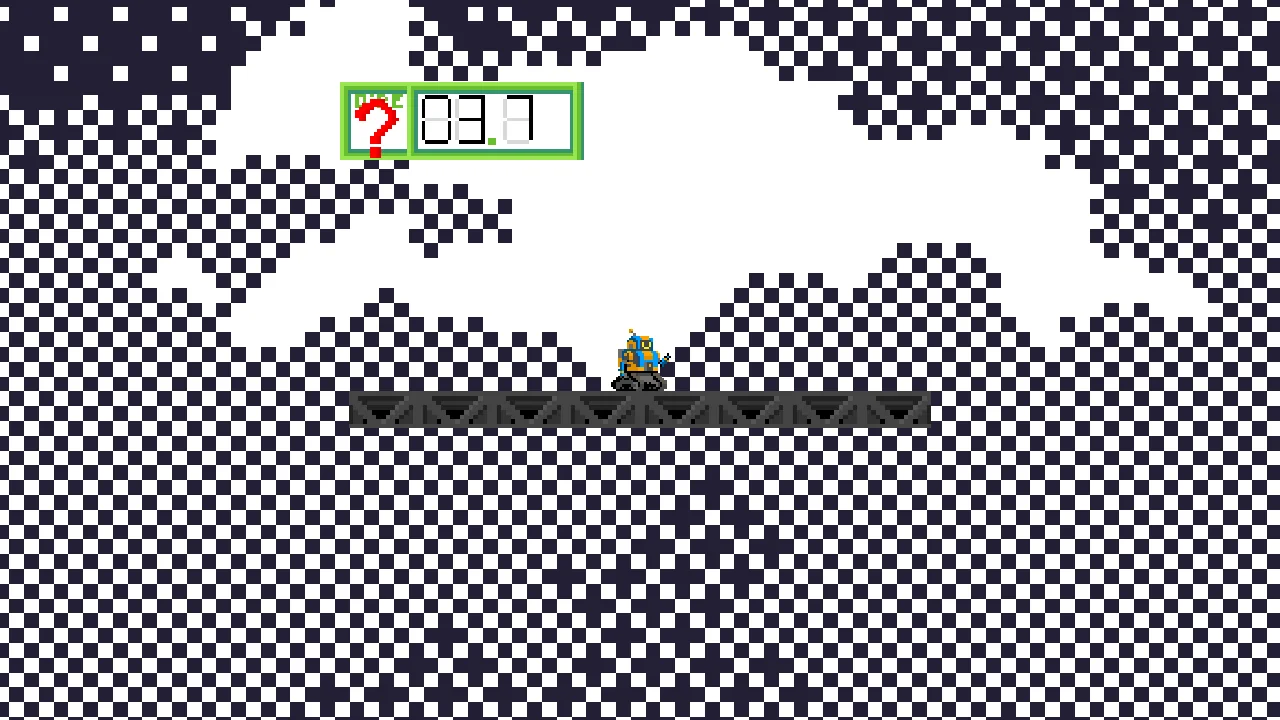
The display side had another good decision: if the next flip is diagonal, TimerDisplay doesn’t draw an arrow and shows a red question mark instead. Diagonal gravity is hard to convey with a single pixel arrow anyway, and the question mark is at least honest: something’s about to happen, watch yourself.
We Didn’t Submit at the Last Second
The itch record says we submitted 1 hour 31 minutes before the deadline, and we also made a 7z archive. Given that there was no version control, this was the most caution this team was capable of. That is not a compliment.
What We Did Well
The Laser Emitter Is the Best-Crafted Thing in the Game
laser_emitter.gd is 280 lines, the script that got the most care in the whole project:
- The beam is stacked from four layers of
draw_line: an outermost glow at 6× line width and 12% opacity, a middle glow layer, a core layer with asinflicker, and a white highlight line at the very center; - A
RayCast2Dmeasures distance every frame, shortens the beam when it hits a wall, and draws a white impact dot at the end; - It flashes three times as a warning before firing.
The comment next to the damage check is clearly written too: it originally used body_entered, but if the player had already stepped into the beam area during the cooldown, no new “enter” event fired when the laser turned on, so it was switched to polling get_overlapping_bodies() every physics frame. We hit the pitfall, understood why, and wrote the reason down right next to the code. That’s the right way to do it.
As for this same laser also being the densest cluster of bugs in the game, more on that later.
Death Reload Has a Re-entry Guard
SceneTransition is a global CanvasLayer. When the player dies, they’re frozen first, the screen fades out over 0.5 seconds, the scene reloads while the screen is black, and the new scene fades back in from its _ready. _is_transitioning blocks cases like “touched two saws on the same frame, reloaded twice”. Half a second of black makes “die and retry” less jarring, and this part of the experience is complete.
The Clock Speeds Up Toward Zero
TimerDisplay adjusts the clock sound’s pitch_scale by the fraction of time remaining: the less time left, the faster the ticking. The idea is right, and it really does build pressure. The parameters were just cranked too far, which I’ll cover under “What We Did Poorly”.
The Title Screen
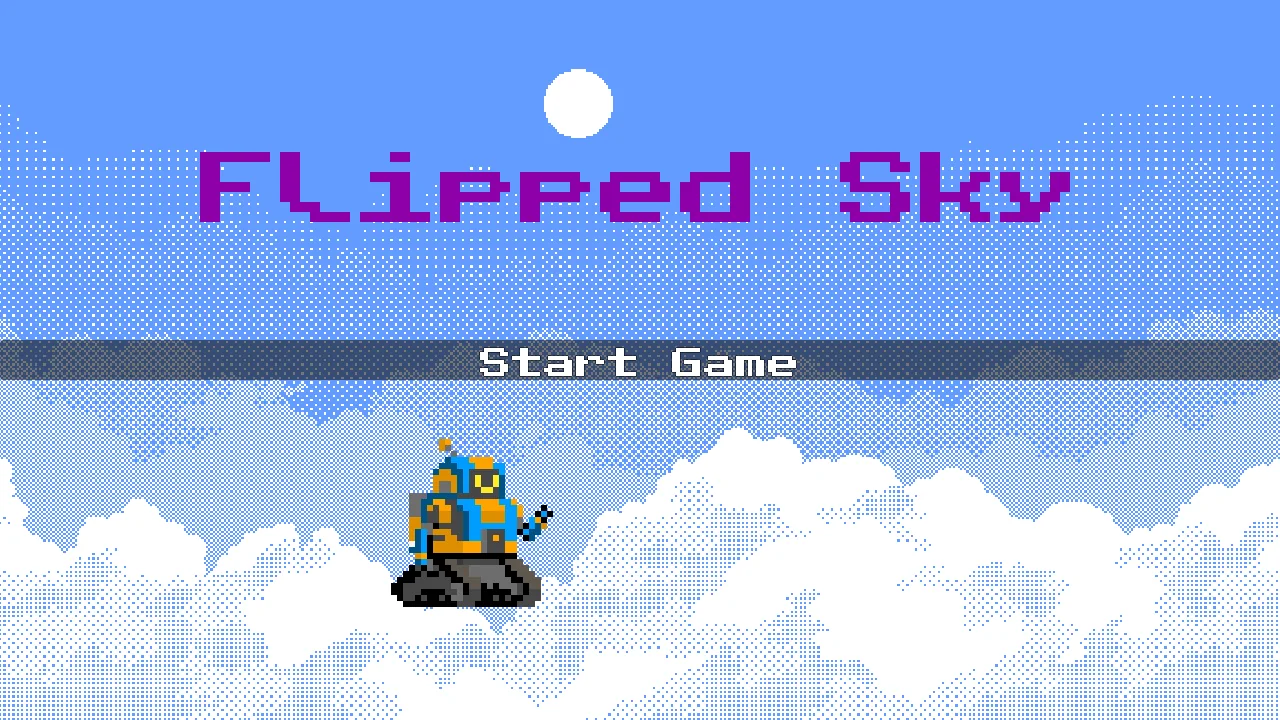
Switch’s comment specifically praised the clouds on the title screen. An Artwork score of 2.889 isn’t high, but the pixel art does hold together as a whole; the sky background and the robot don’t clash.
What We Did Poorly
Players said most of this part for us. Of the 7 player comments, 4 are about the same thing.
Countdown and Gravity Hold Each Other Back
- Switch felt the “countdown” theme was stuck on after the fact (their words: “tacked on”), and suggested giving control of the gravity flips to the player;
- python-b5 agreed with Switch, and said the hardest parts of the game were pure platforming that had little to do with gravity;
- BlackShinobi956 said the timer and gravity mechanics worked against each other in this implementation;
- WirelessNine said part of their playtime was spent waiting for the countdown to run out.
That “waiting” can be quantified. With the player’s parameters (jump velocity 350, gravity 980 × 0.7, multiplied by another 1.5 when falling), a jump in place keeps you airborne for about 0.93 seconds. Level 1 has five countdown phases that last 6 seconds, and one zone loops through 4 phases of 6 seconds forever. A single 6-second phase is enough time to jump in place six times. Once the player has read the sign and got into position, all that’s left is to wait.
The “Mechanic C” in the design outline was: jump toward a bottomless pit, have gravity flip to the right in midair, and “fall” sideways into the safe passage on the right. That’s the most interesting sentence in the whole concept, and it’s also the kind of design that shows up least in the actual levels. Level 2 has 15 saws and 7 spikes, and most of its difficulty comes from the hazards themselves, which is exactly what python-b5 meant by “the hard parts have nothing to do with gravity”.
Three Days of Systems, a Day and a Bit of Levels
Look at the timeline again: the countdown system existed by 7/24, the two guides were done around noon on 7/25, and the first real level’s scene file didn’t appear until 16:40 on 7/25, 56 hours after the project was created. Levels 2 and 3 were both created on the last day. Level 3 went from creation to archive in under 11 hours (13:18 to 00:13 the next day), and those 11 hours also had to fit the background music and the start menu; the settings page and victory screen were made in that window too.
Levels are the only place in this game where the mechanic can become fun, yet they got the least time. The previous point, “the countdown holds things back”, is largely the result of never having time to iterate on pacing inside the levels.
Feel: Slippery and Unforgiving
Both Switch and python-b5 said the controls were slippery.
- Max speed is 300 and the deceleration after releasing the key is 1000, so it takes 0.3 seconds to stop and you slide 45 pixels. The robot’s track collision box is 29 pixels wide, meaning that after letting go you slide another one and a half robot-lengths;
- There’s no separate deceleration parameter in the air; release deceleration is the same as on the ground;
- The jump condition is
is_action_just_pressed("move_jump") and is_on_floor(): no coyote time (a few frames of grace after leaving a platform), and no jump buffering (a jump pressed just before landing). In a game where the floor changes direction every few seconds, these two grace mechanics are exactly what it needs most.
Shrug also mentioned that if you’re not standing still when a flip happens, the gravity switch feels a bit loose. The momentum carry-over is intentional (the outline says, verbatim: “the player’s momentum combines with the new gravity direction”), but with high speed and soft deceleration, the resulting trajectories are hard to control.
Hitboxes Too Big
python-b5 suggested shrinking the hazards’ hitboxes a bit.
- The saw sprite is 32×32 and its collision circle has a radius of 16.03, a hair bigger than the sprite itself, so grazing a tooth tip kills you;
- The bottom 20 pixels of the spike sprite are a row of uneven spikes, while the collision body is a 32×17 rectangle, so the gaps between the spikes count as spikes too.
The platformer convention is to make hazard hitboxes a notch smaller than what’s drawn.
The Countdown Sign Lives in the World, Not on the Screen
WirelessNine suggested the countdown should always be on screen. TimerDisplay is a sign placed in the level, so once you walk far enough away you can’t see it. The laser area in level 3 is a textbook case: the active countdown there belongs to zone D, whose sign sits at (137, -524), while the laser area starts around x = 700 and extends to the right, and at the camera’s 1.85× zoom the screen’s half-width is only 346 pixels. Right where you most need to see the countdown, you can’t, and the only source of information is the clock sound.
The Clock: Both Sliders Maxed Out
## Minimum playback speed multiplier of the clock sound at the start of the countdown (most time left)
## 1.0 means normal speed; adjustable in the Inspector
@export_range(0.5, 3.0, 0.05) var pitch_min: float = 3.0

## Maximum playback speed multiplier of the clock sound the instant the countdown hits zero
## Higher values make the clock more urgent at the last moment (recommended 2.0–3.0)
@export_range(1.0, 5.0, 0.05) var pitch_max: float = 5
The comments say 1.0 is normal speed and recommend 2 to 3 for the maximum. The actual defaults are 3× speed at minimum and 5× at maximum, both pinned to the far right end of their sliders, and none of the three levels override them. clock.wav is a ticking sound that takes 3.66 seconds per loop; in the game, even at its slowest it loops every 1.2 seconds, and the pitch rises along with it. Audio scored 2.667, and Switch added that the background music was a bit too busy to loop the whole time.
Where Narrative’s 1.611 Came From
The design outline from the afternoon of July 25 had a section called “Final goal: The Terminal”:
Final challenge: the Terminal contains the densest, hardest gravity-flip level in the whole game. Passing this ultimate test means winning the game.
At 14:13 on the afternoon of July 27, after the jam had ended, the outline was edited once: the Terminal section and the development-phase plan were deleted wholesale, and one line was added at the end:
In the end we made 3 levels in total
The actual “Terminal” in the game is a portal at the end of level 3, and behind it is a “Victory!” and a “Thank you for playing my game.”. A Narrative score of 1.6 means the raters already went easy on us.
What We Botched
No Version Control for the Entire Jam
As mentioned at the start: zero commits during the jam, and the first git commit came four days after submission. The direct consequence is that today, answering “when was this bug introduced” means digging through file timestamps and a 7z archive.
Even more ironic is the fix for the bug below: the change to level_3.tscn that adds the missing lasers is still sitting uncommitted in the working tree to this day.
The Laser Softlock: “Midair” Wasn’t the Culprit
This is Flipped Sky’s most famous bug. Player Shrug described it like this: got hit by a laser in midair in level 3, the level didn’t restart, and there was nothing to do but close the game. My reply at the time was that we’d found it right before the deadline and had no time to fix it. The project page followed suit and says “if the character happens to be hit by a laser in midair”.
According to the code, “midair” has nothing to do with this bug. Level 3 has 6 lasers in total, and the level script’s hostile_list only registers the first one:
# level_3.tscn (jam version)
hostile_list = [saw, saw2, saw3, saw4, saw5, LaserEmitter,
                DeathCrash, DeathCrash2, ... DeathCrash6]
# LaserEmitter2 ~ LaserEmitter6: not on the list
The death flow is split into two halves:
- The hazard calls
body.die()directly, which freezes the player (zeroes velocity, stops physics updates); - The hazard then emits its own
player_diedsignal, and only when the level script hears it does it fade out and reload.
The unregistered lasers only complete step one. So the robot is frozen in the beam, the laser keeps switching on and off, and the countdown keeps running. The funniest moment is when the countdown hits zero: the frozen robot still dutifully turns around in place, because the gravity flip goes through a signal callback, and freezing only blocks _physics_process. All the player can do is close the web page, and since the game has no restart key, no pause menu and no level select, closing the page means starting over from level 1.
The clip below was recorded with the jam version of the project: put the robot into laser #2’s beam, then do nothing.
Doing the same with the registered laser #1 gives a normal fade to black and restart after 0.5 seconds. So what decides the outcome is which laser you hit; midair or not makes no difference. Judging by the coordinates, lasers #2 to #6 were made by duplicating #1 and turning it: #1 and #3 have exactly the same position, one pointing down-left and the other up-right. Duplicating a node doesn’t also register it in another node’s array.
The most frustrating part is line 17 of player.gd:
## Emitted when the player dies (for systems such as death particle effects)
signal player_died
The player already has its own player_died signal and emits it on every die(). The level script was holding a reference to player all along; one line would have done it:
player.player_died.connect(_on_player_died)With that, level 3’s list of 17 hazards wouldn’t have been needed at all. For the sake of “decoupling”, we had every hazard emit its own signal and then had the level collect a dozen-plus signal sources by hand; the one signal that should have been connected went unheard from start to finish.
The Settings Page: Written, Won’t Compile, Button Deleted, Reference Still There
settings.gd is 140 lines, with a volume slider and a mute button, plus JSON saving. Problem one: JSON.new().parse(...).result on line 29 is Godot 3 syntax. In Godot 4, parse() returns an error code, so this line fails to parse outright:
SCRIPT ERROR: Parse Error: Cannot get property from enum value.
   at: GDScript::reload (res://scenes/ui/settings.gd:29)
Problem two: the GlobalAudio.set_volume() and get_volume() it calls don’t exist in global_audio.gd at all.
The end result is that the start menu has no settings button, but line 4 of start.gd still holds a reference to it:
@onready var settings_button: Button = $VBoxContainer/SettingsButtonSo every time the title screen loads, the console reports Node not found: "VBoxContainer/SettingsButton". The start menu scene was last modified at 00:12 on July 27; the 7z archive is from 00:13.
By the way, the mute button’s two states read “🔊 Mute” and “🔊 Unmute”, both with the same speaker.
The Same Level Script, Copied Four Times
In the jam version, level_1.gd, level_2.gd, level_3.gd and test_level.gd total 776 lines, and differ from each other only by class_name, one comment line, and an empty function auto-generated by the editor. On July 31 they were merged into a single level.gd, but the merged error messages still say [TestLevel], a birthmark left by their common ancestor.
Comments Work Harder Than the Code, but Don’t Always Tell the Truth
The jam version has 2,702 lines of GDScript: 1,024 comment lines starting with #, 540 blank lines, and 1,138 lines of actual code. Lots of comments is acceptable, but quite a few of them describe a project that no longer exists:
player.gdsays “the level script connects theGravityManager.gravity_changedsignal to this method”, yet the project never had aGravityManager;TimerDisplay.gdsays its interface is “consistent with CountDownDisplay”;countdown_display.gdwas deleted long ago, but the integration guide’s file list still includes it;- The guides say the level script lives at
scenes/level/test_level.gd, when it’s actually underscenes/level/Test/, and both guides’ titles carry the tag “(latest version)”; - The comments in
walk_dust_particles.gdtalk aboutGPUParticles2D, while the script itself isextends CPUParticles2D.
The saw, spike and boundary death-zone scripts all open with the line “this node knows nothing about any specific logic of the level or the player”, and a few dozen lines further down is body.die().
Of those two usage guides totaling 292 lines, one is subtitled “Usage Guide for Level Designers”. Its audience was a two-person team, it was written around noon on day three, and at that point not a single real level existed.
Debug Leftovers
- 36
print()calls across the project, including 7 lines of logs like “=== GlobalAudio initializing ===” thatglobal_audio.gdprints on every launch; - In the jam version,
debug_modeinplayer.gddefaults totrue, and the four debug actions it’s wired to don’t have a single key bound in the input map. A debug switch left on, wired to four dead leads.
The Funny Parts
What this section has in common is that the code tells the jokes by itself; nothing needs dressing up.
The Rainbow Title Is Only Purple
The title screen and the victory screen each have a thirty-odd-line handwritten HSV-to-RGB conversion, which the comment calls “a simple Web-compatible implementation” (Godot’s built-in Color.from_hsv() works on the Web just as well).
if hue < 1 / 6:
    r = c; g = x; b = 0
elif hue < 2 / 6:
    r = x; g = c; b = 0
# ...middle omitted...
elif hue < 5 / 6:
    r = x; g = 0; b = c
else:
    r = c; g = 0; b = x
In GDScript, 1 / 6 is integer division and evaluates to 0, and 2 / 6 through 5 / 6 are all 0 too. So the first five branches are all checking hue < 0, which is never true, and every frame takes the else branch: red maxed out, green fixed at 0.2, and only blue moving back and forth. That color is then multiplied by the label’s own font color, a purple (0.55, 0, 1), which zeroes out the green channel completely. The designed rainbow title actually breathes between wine red and purple. This code was copied verbatim to the victory screen, and the bug was copied right along with it.
The truly funny part is in another file. Line 150 of TimerDisplay.gd:
@warning_ignore("integer_division") # Suppress the warning on line 91 (if the code runs, don't touch it)
var tens: int = (total_int / 10) % 10
Godot does warn about integer division. Here in the countdown the integer division is intentional, the warning was suppressed by hand, and the “line 91” in the comment stopped matching long ago. Meanwhile, back in the title screen, the very same warning was pointing at a real bug.
The Second Warning, Silenced
The dust particles under the robot’s tracks have a function that rotates the emission angle according to gravity:
func _apply_gravity_to_particles(_gravity: Vector2) -> void:
    var emit_angle_rad = gravity.angle() + PI
    rotation = emit_angle_rad - PI / 2.0
The parameter name has a leading underscore, which tells Godot “I’m not using this parameter, don’t warn me that it’s unused”. The gravity in the function body has no underscore, so it refers to CPUParticles2D’s own gravity property, i.e. the particles’ gravity, (0, 98). So no matter which way the player’s gravity points, the rotation this function computes is always π. Dust that should kick up from the tracks gets flipped over entirely and sprays down into the floor.
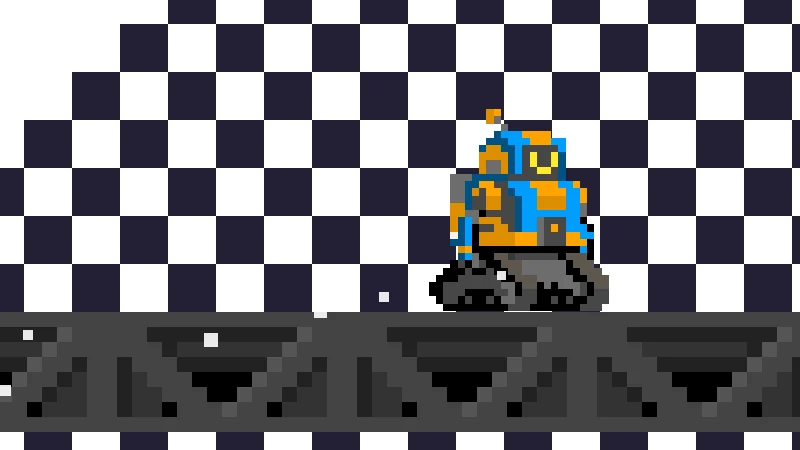
The same script also sets the particles’ position in the player’s local coordinates based on gravity direction, but the player node itself rotates with gravity too, so it gets rotated twice. As soon as gravity isn’t pointing down, the dust comes out of the side where the robot’s head is instead.
Two warnings, one silenced by @warning_ignore, one silenced by an underscore, and both of them were telling the truth.
The Warning Itself Can Kill You
This is how the laser switches states:
func _set_state(new_state: LaserState) -> void:
    _state = new_state
    # ...
    match _state:
        LaserState.FIRING:
            _enter_firing()   # flash the warning three times, then fully appear
The damage check only looks at whether _state is FIRING. The warning animation only starts playing once the state has already switched, so the 0.36 seconds of three warning flashes, plus the 0.1 seconds of fading in, are lethal the whole way through. Conversely, when shutting off, the state switches to COOLING first and the beam takes another 0.18 seconds to fade out; during that time you can see it, but it can’t kill you. Between a laser “looking dangerous” and “actually being dangerous”, there’s an offset of nearly half a second.
One more small detail: after a registered laser kills the player, the player is still standing in the beam during the 0.5-second fade, and _physics_process calls body.die() again on every physics frame. At the default 60 physics frames per second, each death gets ruled a death up to about 30 times. Luckily the player is already frozen, so dying a few extra times changes nothing.
The Final Death Test
The project root contains a test_death_system_final.gd, with “final” right there in the file name.
- The opening comment says “press T to test”, while the code listens for
ui_up(the up arrow key), with a note right beside it:# T key; - It uses
get_first_node_in_group("player")to find the player, and the player isn’t in any group; - The
DeathParticlesnode it’s supposed to check doesn’t exist inplayer.tscn(so the ten-or-so lines of “random yellow or blue death particles” indie()have never run either); - Line 36 reads
print(f"Death particle node exists: {death_particles}"). GDScript has no f-strings, so the script fails to parse outright:
SCRIPT ERROR: Parse Error: Expected closing ")" after call arguments.
   at: GDScript::reload (res://test_death_system_final.gd:36)
This file was created at 20:41 on July 26 and last modified at 20:41. It is indeed final. Nobody can argue with that.
Enter 0, Get Corrected to 1
CountDownManager has a bit of defensive code for phase durations:
if duration <= 0.0:
    push_warning("[CountDownManager] Phase %d has an invalid duration (%f); corrected to 1.0 seconds." % [_current_index, duration])
    duration = 1.0
Sure enough, level 1 has a phase with duration = 0.0, apparently meant to flip gravity the instant the player walks into the zone. The defensive code dutifully changed it to 1 second and left a warning in the console. By level 3, the last phase is set to 0.1, which looks like a lesson learned.
700 Pixels Away from Silencing the Music
The global background music hangs off the autoloaded GlobalAudio, and the player it uses is an AudioStreamPlayer2D, meaning a positional 2D audio source that attenuates with distance, placed at the world origin. To make it sound “unattenuated”, the attenuation factor was set to 1.3751867e-05, and the max hearing distance was changed from the default 2000 to 4096.
Across the three levels, the farthest point the player can reach is at the far right of level 3, a bit over 3,300 pixels from the origin, leaving only about 700 pixels before the 4096 limit. Build the level a little farther out, and the background music would simply vanish once you walked there. The right fix is to switch to the non-positional AudioStreamPlayer. Nothing went wrong here only because the levels happened not to be very big.
Names
- The portals’ directory is called
Potals; - The label on the title screen that displays “Flipped Sky” has the node name
FilippedSky; - The portal nodes in all three levels are named
Potals_blue, including the two that lead to level 2 and level 3.
Checklist for the Next Jam
git initat minute 0, and commit at every point where things run. A 7z is not version control.- Death takes only one path: the player emits
player_died, and the level only listens to the player. Identify hazards with groups; don’t maintain hand-made lists. - Build R-to-restart and an Esc menu on day one. No softlock should ever send the player back to level 1.
- Before the end of day two, have a rough level that can be played from start to finish. Let the systems grow out of what the levels need.
- Coyote time, jump buffering and slightly shrunken hazard hitboxes: these three are basic platformer courtesy.
- Put core information on the HUD. The countdown signs in the world can stay as decoration, but they can’t be the only source of information.
- Treat warnings as bugs. Every
@warning_ignoreand every underscore-prefixed parameter needs a reason you can state. - Comments should explain “why”, and should be updated whenever the code changes. A comment you can’t keep accurate is worse than no comment.
There’s one more question I haven’t figured out, left behind by python-b5: the countdown slows down the pace, yet “the player can’t control the flips” is exactly the core of this design. Is there a balance point between the two? There’s no standard answer; the only way is to test it with a graybox level on day one next time.
Finally
Looking back, the most valuable things in Flipped Sky are the 3.611 in the Creativity column and the diagonal gravity in level 3, and the most expensive thing is the five extra lasers. The former came from a Vector2 written correctly; the latter came from an array missing five entries.
The title is still purple. And the change in the working tree that adds the missing lasers is still waiting for a proper commit.
Technical Discussion & Comments